• Why not take a moment to introduce yourself to our members?

Bigkahuna

Experienced Reefer
Location
Westchester
Rating - 100%
32   0   0
Great information, well I order 3 ecotech raidon panel today. So I decided these will replace the existing LED's on my 125G.
Now what I like to see, raidon owners post pics of the raidon setup!

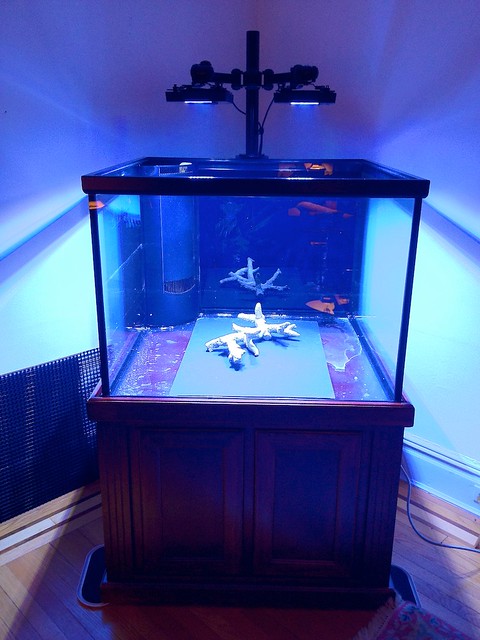
I'm still waiting to finish my 150DD build but I finished my Radion mount using a VESA LCD swingarm mount. I wanted uber adjustability:

6729565671_c3931901da_z.jpg


Here's the link to the build thread page?

http://www.manhattanreefs.com/forum/tank-threads/114260-marineland-150dd-cube-build-4.html
 

Wolverine57

Advanced Reefer
Location
Tobyhanna, PA
Rating - 98.4%
246   4   0
OK I have 3 Panels on my 6 ft tank. Having difficulties in the programming! I'm trying to set the lights to turn on example 11:59AM DAY and 12:59PM NIGHT. Turns off at 12:59PM but I notice in the morning about 6:30AM when I'm getting ready to go to work one panel is ON. Panel A Support at Ecotech marine close at 5PM, but I'm at work. Is there someone here I can talk to while I'm next to my lights ...let say evening hours on a weekend.
 

jpellica

AKA Fraghunter
Location
Staten Island
Rating - 100%
76   0   0
Make sure that your3 panels are grouped together. Second make sure all your panels are on the same mode lights should all be green light or blue light next to manual control buttons. 3rd in program utility make sure you have the check box check for wireless participation and if all is. Correct go to the panel in question click on the last little bubble when ur lights go off and the first little bubble before the lights come on may have to hold the ctrl key to click both I forget then look at the spectrum and make sure they are all at 0%.

Sent from my DROID3 using Tapatalk
 

Wolverine57

Advanced Reefer
Location
Tobyhanna, PA
Rating - 98.4%
246   4   0
Make sure that your3 panels are grouped together. Second make sure all your panels are on the same mode lights should all be green light or blue light next to manual control buttons. 3rd in program utility make sure you have the check box check for wireless participation and if all is. Correct go to the panel in question click on the last little bubble when ur lights go off and the first little bubble before the lights come on may have to hold the ctrl key to click both I forget then look at the spectrum and make sure they are all at 0%.



So far, this was done! UP to where I need to check this: Correct go to the panel in question click on the last little bubble when ur lights go off and the first little bubble before the lights come on may have to hold the ctrl key to click both I forget then look at the spectrum and make sure they are all at 0%.

 

Sponsor Reefs

We're a FREE website, and we exist because of hobbyists like YOU who help us run this community.

Click here to sponsor $10:


Top